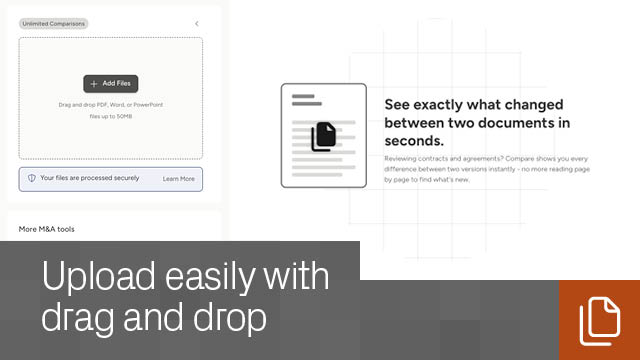
Which file types can I compare? You can compare any documents such as PDF, Word, and PowerPoint formats. Just convert them to PDF format, and then compare.
What’s the largest file size I can upload? Each individual file can be up to 50MB.
Who can use the Document Comparison app? Anyone. All you need is a Datasite account, which is free to open.
How much does it cost to compare files? Nothing! Document comparison is free. If you don’t have a Datasite project, simply create an account to start using the free document comparison app.
Can I compare password-protected files? You’ll have to remove any password protection before uploading. After comparing, remember to re-protect your documents if necessary.
Do I need to install software? No installation is required. Everything happens online in your browser.
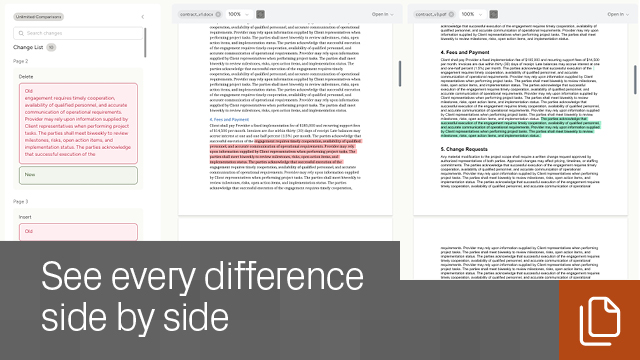
What differences does the tool reveal? This file difference checker instantly identifies:
All changes appear in an organized list. Select any item to jump directly to its location in the document viewer.
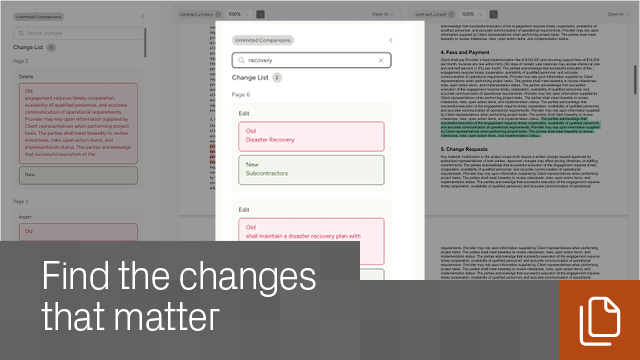
Can I search for specific changes? Yes. Use the built-in search to find particular updates or verify expected edits.
Can I download the results? Yes. Click to export a file containing all highlighted differences in a separate file.
Can I sync scrolling and zooming between the documents? Toggle the sync button beside each file name to scroll or zoom both documents simultaneously.
Can I compare graphical files? Not right now. If visual or image comparison is important to you, let us know via the Want to compare images link in the footer.
Does Datasite keep a copy of my documents? For your convenience, Datasite securely stores your uploaded files (and any exported comparison files) in your My Documents area. These files are visible only to you and can be permanently deleted at any time. This ensures a secure document comparison experience every time
No Reviews Yet
This app hasn't been reviewed yet.